
Light Modes
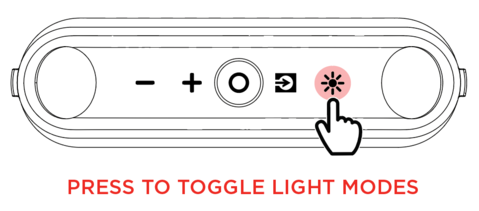
KettleBoom has 3 LEDs on each of the left and right sides. The light colors and brightness of all 6 LEDs are synchronized.
When the speaker is first powered on, the side LEDs will be lit red at 25% brightness and slowly increase to 100% brightness. Once the LEDs are all lit up, this effect will hold for 2 seconds and then quickly fade out. After this effect, all LEDs will fade in and out until a device is Bluetooth-connected to the speaker.
Press the Light button repeatedly to toggle between one of the LED modes on KettleBoom.
The speaker LED light modes are:
-
Beat Sync: The LEDs brightness will change based on the bass level, flowing through the color spectrum.
Note: For the best lighting effect, you may need to increase the volume of your connected device or input source.
|
-
Color Cycle: All LEDs will be the same color while cycling through the color spectrum in a slow and smooth transition from color to color.
-
Static Color: All LEDs stay the same color (the color can be adjusted from the ION Sound Control™ app). The default color is red unless changed in the ION Sound Control™ app. The app-selected color will be remembered when the speaker is powered off and on.
-
Off: All lights are off.