
Auracast
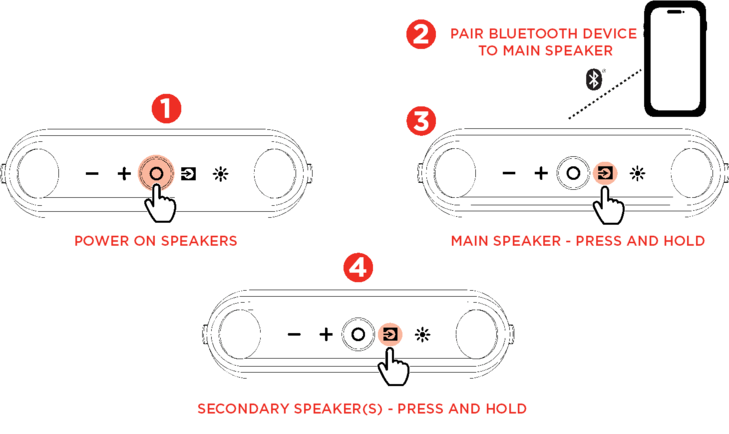
Power on additional speakers that you would like to connect. Select one speaker to be the primary speaker and all other speakers will be secondary speakers.
-
Power on the primary speaker.
-
Pair to your Bluetooth device.
-
Power on the secondary speaker(s).
-
Press and hold the Source button on the speakers to start the linking process. A tone will be heard when the speakers are searching. Once the speakers are linked, the speakers will announce "Sync".Note: The Auracast feature will turn off after 1 minute if the speakers are not linked.
Press and hold the Source button on the main speaker to stop all Auracast connections.
Press and hold the Source button on one of the secondary speakers to disconnect the selected speaker.
Note: The Auracast feature will turn off after 2 minutes when the speakers are not connected.
|