
USB Playback Mode
Note: The USB-A and USB-C ports support playback only and cannot be used to charge devices.
|
USB-A Port:
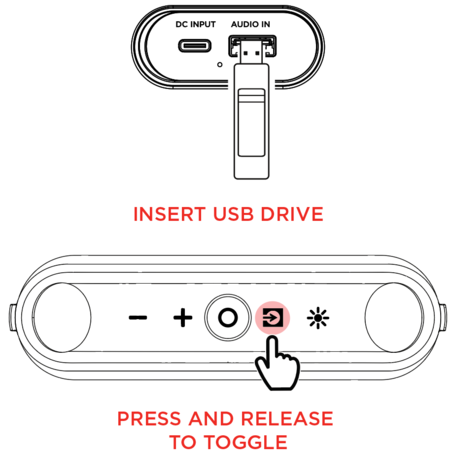
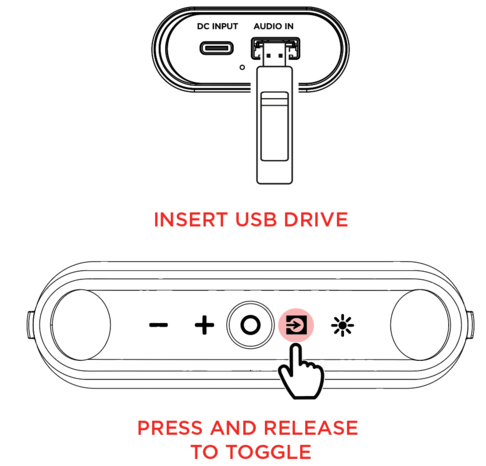
Inserting a USB device into the USB-A port will automatically switch the speaker to USB mode and begin music playback. Press and release the Source button to toggle through to switch to USB mode when a USB device is previously inserted.
Note: USB must have playable files for it to be recognized. If there is no USB flash drive inserted into the media panel, quick pressing the Source button will toggle to Bluetooth.
|
-
Supported file system: FAT32
-
Supported file types: MP3, APE, and WAV (44.1 kHz)
-
Maximum file size: 4 GB
-
Maximum USB drive size: 128 GB
When you connect a USB drive with supporting files, KettleBoom will play the files in the order that the files are stored on the USB flash drive.
USB-C® Port:
Connect your smartphone, tablet, or other devices to the USB-C® port using the included USB-C® to USB-C® cable. Then you can stream audio from your device and use the buttons on KettleBoom or your device to control functions. If the connected device is capable of playing lossless audio, KettleBoom will play the lossless audio.
Note: The USB-C® port will not play music from a USB-C® flash drive.
|