
USB Playback Mode
USB-A Port:
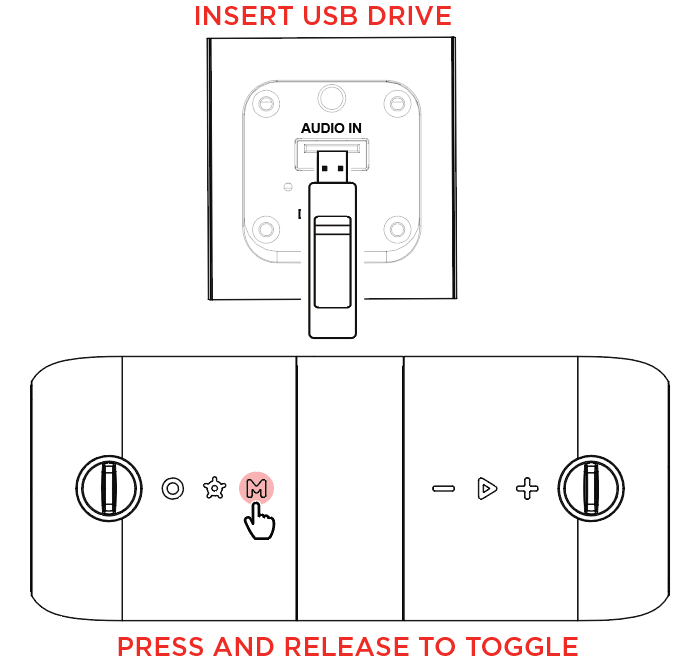
Inserting a USB flash drive into the USB-A port will automatically switch the speaker to USB mode and begin music playback. Press and release the Mode button to toggle through to switch to USB mode when a USB flash drive is previously inserted.
Note: The USB flash drive must have playable supported files for it to be recognized. If there is no USB flash drive inserted into the media panel, quick pressing the Mode button will toggle to Bluetooth.
The USB-A port supports playback only and cannot be used to charge devices.
|
-
Supported file system: FAT32
-
Supported file types: MP3, WMA, FLAC and WAV (44.1 kHz)
-
Maximum file size: 4 GB
-
Maximum USB flash drive size: 128 GB
In USB mode, the speaker will automatically play the first compatible file. Files are played in alphabetical order of what is on the root level.
USB-C® Port:
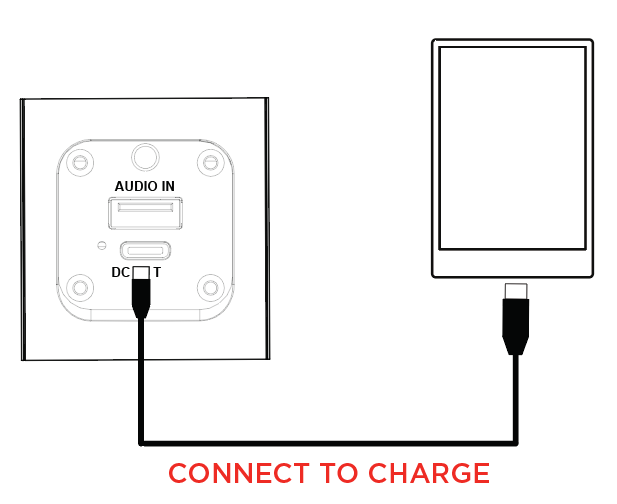
Connect Sport Orbix to the USB-C port using the charging cable.